Elutify Overview
Thomas Boykin’s Dialogue Editing Boot Camp teaches audio-postproduction dialogue editing, progressing from AAF imports and session organization to advanced noise reduction, ADR, and alternate takes. The course uses Pro Tools and DaVinci, with greater emphasis on Pro Tools.
Session setup, sync, and dialogue layout
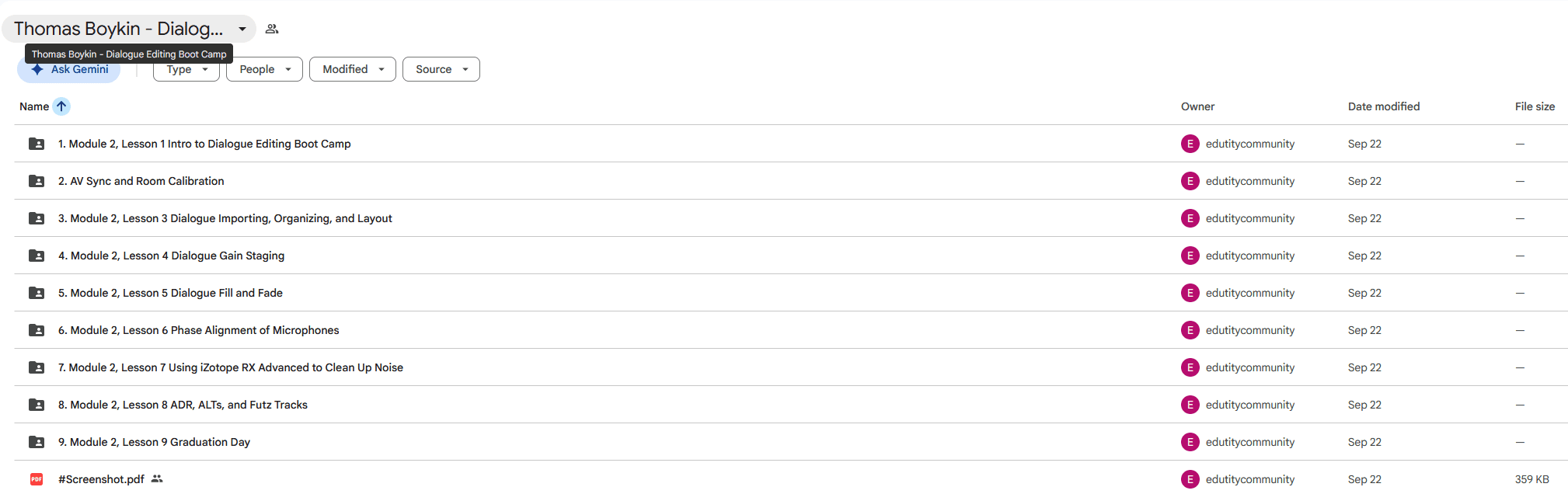
The Module 2 sequence begins with an introduction to dialogue editing, followed by AV sync and room calibration for accurate monitoring. It then moves into importing, organizing, and laying out dialogue, including importing AAFs.
These opening lessons establish the session and monitoring setup before the course turns to editing and cleanup.
Dialogue editing and iZotope RX cleanup
The middle lessons address four distinct parts of the editing process, in this order:
- Dialogue gain staging: a dedicated lesson on dialogue levels.
- Dialogue fill and fade: work with fills and fades within dialogue edits.
- Phase alignment of microphones: a separate lesson on microphone phase alignment.
- Noise cleanup: advanced noise-reduction work using iZotope RX Advanced.
After noise cleanup, the course turns to ADR, ALTs, and futz tracks in a combined lesson. The sequence closes with “Graduation Day.”
Software knowledge and monitoring needs
Dialogue Editing Boot Camp expects a basic grasp of a DAW or NLE; a basic understanding of audio postproduction is also helpful. Headphones or studio monitors are needed for monitoring. The course recommends considering iZotope RX, and its noise-cleanup lesson specifically uses RX Advanced. Familiarity with editing software matters here: the sequence moves from session setup into advanced cleanup rather than serving solely as a first introduction to a DAW.
Proof Content
Related courses on Elutify